
Use code JASONHOWELL for 15% off.
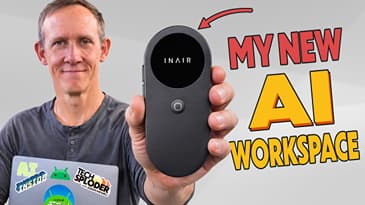
I tested the INAIR Pod with five pairs of AR glasses, a MacBook Pro, and Gemini to see whether this pocket Android computer earns its place.
The INAIR Pod adds Android apps, spatial windows, wireless computer streaming, and a live 2D-to-3D conversion effect to compatible display glasses. I tested its controls, app selection, media playback, and INAIR Space with my Mac, including an ultrawide Premiere workspace surrounded by native Android apps.
Compatibility makes a big difference. This review covers what worked, where I encountered drift and motion smearing, and why the exact glasses you connect matter.
Thanks to INAIR for sponsoring today’s video.
- INAIR sent me the Pod for review
- INAIR gets no say in the editorial content of this video
CHAPTERS
0:00 What is the INAIR Pod?
0:45 What’s Included
1:40 Hardware and Controls
3:29 Pointer Drift, Fan Noise and Battery
4:54 Android Apps and Six-Window Mode
7:13 Testing Five Pairs of AR Glasses
9:06 Streaming My Mac Into the Glasses
10:26 Maximize and Privacy Screen
10:54 Gemini Across My Spatial Workspace
12:25 Live 2D-to-3D Conversion
13:18 Local 3D Movies and YouTube SBS
14:26 Verdict and Who Should Buy It
SETUP TESTED
• INAIR OS 3.10
• VITURE Beast
• VITURE Pro 2 XR
• XREAL 1S
• RayNeo Air 4 Pro
• RayNeo GT
• INAIR Space on macOS
A Pod-only purchase does not include AR glasses or a dedicated keyboard. Features vary by glasses model, software, app, and setup. Remote computer streaming requires a host computer, compatible software, and a suitable network.
INAIR’s published compatibility chart:
https://inairspace.com/blogs/blogs/inair-pod-now-fully-supports-viture-beast-unlocking-full-3dof-3d-multi-window
Watch my VITURE Beast review:
https://www.youtube.com/watch?v=Dr8bPgUMVj0
=====·SOCIAL·=====
TWITTER(X): http://www.twitter.com/JasonHowell
INSTA: https://www.instagram.com/thatjasonhowell
TIKTOK: https://www.tiktok.com/@thatjasonhowell
MASTODON: https://mastodon.social/@jasonhowell
LINKEDIN: https://www.linkedin.com/in/thatjasonhowell
=====·SUPPORT·=====
🛒 Use the links above to shop. And thanks!
🔔 PATREON: http://www.patreon.com/JasonHowell
🔔 PATREON: http://www.patreon.com/aiinsideshow
🔔 BUY ME A COFFEE: https://buymeacoffee.com/jasonhowell
=====·ALL SHOWS·=====
AI INSIDE PODCAST: http://www.aiinside.show
ANDROID FAITHFUL PODCAST: http://www.androidfaithful.com
=====·CONTACT·=====
BUSINESS AND SPONSORSHIP INQUIRIES: jason(at)yellowgoldstudios(dot)com
=====·FTC DISCLAIMER·=====
Affiliate links listed above pay me a small commission. My sponsorships are noted in the video and description. Any products provided as gifts are listed above.
#INAIRPod #ARGlasses #SpatialComputing